Is mobile wallet just another way to pay?
11/07/2025
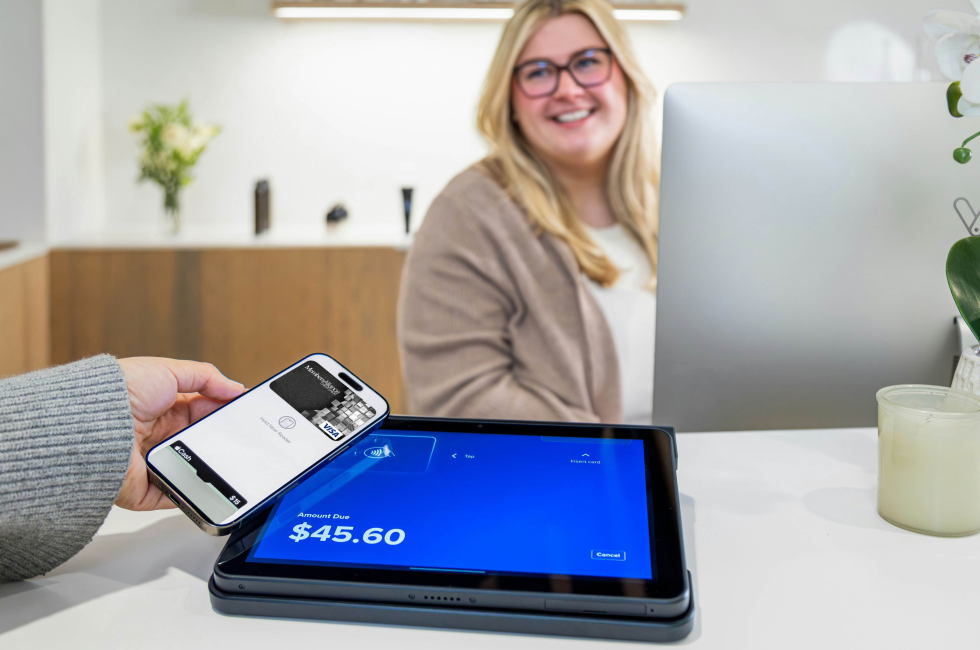
Do you remember the days when you had a wallet overflowing with cards or were frantically looking through your cards at the checkout isle to find the right one? Does this bring flashbacks to the sinking feeling…that you forgot your debit card at home or even misplaced it? Maybe these moments are still a reality, but today there is a lot easier and more secure way to pay called mobile wallet.
This handy tool keeps debit cards, credit cards, gift cards, and more all in one digital spot. It allows you to tap to pay using your phone or even a smart watch. Simply pull up the card on the preferred mobile wallet and tap to pay like you would with your physical debit or credit card with no additional costs or fees with any of the major mobile wallets.*
These digital wallets do more than make space in your pockets. Mobile wallets are for online purchases too. Select your mobile wallet method at your online checkout and skip the time-consuming ordeal of entering your card’s details every time you need to make a purchase or worse saving your card details at every online store and increasing your security risk.
With new technology, there is always the question of security, especially when it comes to banking information. Mobile wallets increase security by never sharing your card number with any of the physical or online stores you make purchases with. The only place that keeps your card information is your mobile wallet instead of a dozen different stores. Plus, each transaction uses tokenization and encryption to ensure each payment is secure.
This isn’t the end of physical debit and credit cards – not yet anyway. Some stores do not offer this option although many are quickly becoming mobile wallet ready. To find out if a store offers mobile wallet as a payment option, look for the tap to pay symbol or look for a mobile wallet option in the checkout page for online shopping.
Tap to pay symbol: 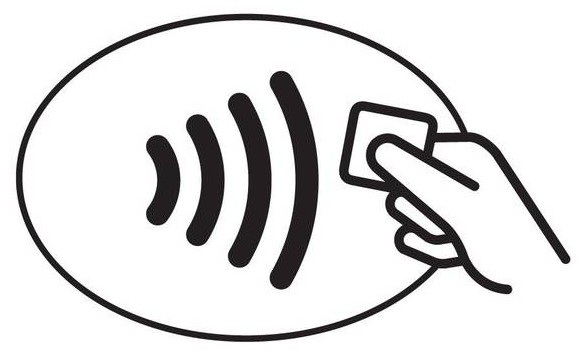
Getting started with mobile wallet is easy! Simply pick the mobile wallet that is best for you, download the app if it isn’t already on your phone (many smart phones already have it as a built in app), upload your debit or credit card, then go shopping. MembersAlliance debit and credit cards work with the three largest mobile wallets – Apple Pay, Samsung Pay, and Google Pay.
Check out these helpful tutorials:
Apple Pay
Google Pay
Samsung Pay
If you still need help figuring out your mobile wallet using your MembersAlliance credit card or debit card, we have a team ready to help.
Upload your cards to your mobile wallet and start making easy and secure purchases today!
*There may be fees associated with other features apart from using it for debit or credit card transactions. Please check with your selected mobile wallet app for any fees associated with additional features.